
The Future of Office Printing: Cloud-Connected Devices and Smart Workflows
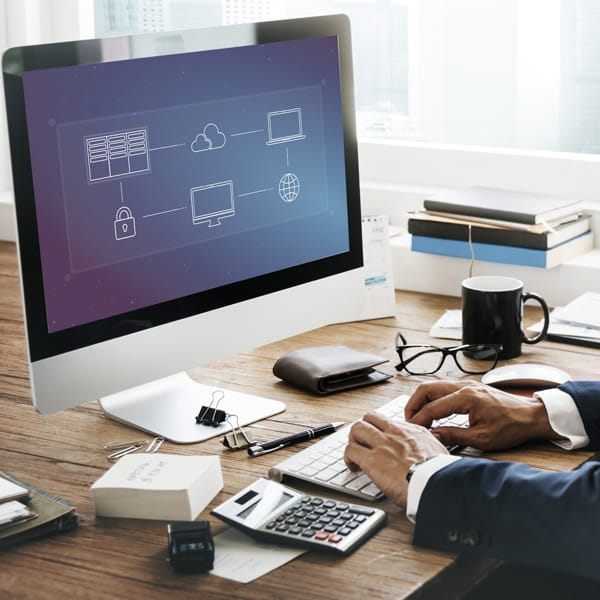
Office printing has changed a lot, even if the printer sitting down the hall still looks familiar. Not long ago, most businesses thought of printers and copiers as stand-alone machines that handled paper, toner, scanning, copying, and the occasional service call when something jammed or stopped working. Today, however, office printing is becoming much more connected, much more intelligent, and much more closely tied to the way people actually work.
That shift matters because offices no longer operate from one desk, one file cabinet, or even one building. Teams work from different locations, documents move between departments faster than ever, and businesses need systems that can support employees whether they are in the office, on the road, or working from home.
For companies that want to improve productivity, reduce waste, and keep documents moving securely, cloud-connected devices and smart workflows are becoming a practical part of everyday business. Gulf Coast Office Products helps businesses understand these changes, so printing, scanning, and document management can support the future of work instead of holding it back.
Office Printing Is No Longer Just About Paper
Printing still matters, of course. Businesses continue to rely on paper for contracts, invoices, reports, packets, labels, forms, presentations, shipping documents, employee files, and customer-facing materials. Even in a more digital workplace, there are plenty of moments when a printed document is still the clearest, easiest, or most practical option.
The bigger change is that printing no longer begins and ends with a page coming out of a machine. Modern office devices are connected to networks, cloud platforms, mobile devices, document systems, and security tools, which means they can do much more than simply print, copy, and scan.
A smart office printing setup helps information move. It can route scanned documents to the right folder, allow employees to print securely from different locations, track usage, reduce unnecessary output, and help teams spend less time fighting with equipment.
Why Are Businesses Moving Toward Cloud-Connected Printing?
Businesses are moving toward cloud-connected printing because the old way of managing print environments does not fit the way many teams work now. Employees may need to print from laptops, tablets, phones, home offices, satellite locations, or shared workspaces, and traditional print setups can make that harder than it needs to be.
Cloud-connected printing gives businesses more flexibility because print access is not tied as tightly to one physical server or one specific workstation. Depending on the setup, employees can send jobs more easily, IT teams can manage devices with better visibility, and companies can reduce some of the complexity that comes with older print infrastructure.
That flexibility can be especially helpful for growing businesses. When a company adds employees, opens another location, or shifts to hybrid work, cloud-based print tools can make expansion smoother because the system is easier to adjust.
Smart Workflows Help Documents Move Faster
A smart workflow is simply a better path for getting work done. In the printing world, that often means taking a task that used to require several manual steps and turning it into a cleaner, more reliable process.
For example, an employee may scan a signed document, rename the file, save it to a folder, email it to another department, and then file a paper copy. With the right workflow, that same employee may be able to scan the document once, choose a preset option on the device, and send it directly to the correct destination.
These small improvements save time because they remove repetitive steps that employees should not have to think about every day. They also reduce mistakes, which matters when documents need to be saved, routed, reviewed, or shared consistently.
Multifunction Devices Are Becoming Office Hubs
Modern multifunction printers are no longer just bigger versions of desktop printers. They often serve as document hubs, giving employees one place to print, scan, copy, fax when needed, send files, access presets, and connect paper documents with digital systems.
That role is important because many offices still deal with both paper and digital information. A customer may hand over a signed form, a vendor may mail an invoice, or a manager may need printed copies for a meeting, while the final record still needs to live in a secure digital location.
A well-configured multifunction device can help bridge that gap. Instead of treating paper as a separate world from digital work, the device becomes part of the workflow that keeps everything connected.
Cloud Printing Can Support Hybrid Teams
Hybrid work has made print access more complicated for many businesses. Some employees are in the office every day, others split time between locations, and others may need to send or retrieve documents while traveling.
Cloud printing can make this easier by giving authorized employees more flexible access to print resources. Rather than depending on one office computer or a complicated local setup, workers can use a cloud-enabled system that better matches the way they move through the workday.
This does not mean every business needs the same setup. A law office, medical practice, finance company, school, construction firm, and nonprofit may all have different print needs, but the broader goal is the same: make printing available where it is needed without making IT support more difficult than necessary.
Security Will Shape the Future of Printing
As printers become more connected, security becomes even more important. A printer or copier may handle contracts, employee records, financial documents, medical information, customer data, invoices, legal files, and internal reports, which means it should never be treated as an afterthought.
Smart printing solutions can support stronger security through user authentication, access controls, secure print release, encrypted connections, and usage tracking. These features help reduce the chance that sensitive documents end up in the wrong hands or sit unattended in an output tray.
For many businesses, secure print release is one of the most practical improvements. Employees send a print job, then release it at the device when they are physically present, which helps protect private information while also reducing forgotten print jobs.
Better Visibility Leads to Better Decisions
One of the biggest advantages of cloud-connected printing is better visibility. When a business can see how devices are being used, where print volume is highest, how much color printing is happening, and which machines need attention, it can make smarter decisions.
Without that information, printing often gets managed by complaints. Someone says a device is too slow, another department says toner runs out too fast, and a manager approves another printer because it seems like the easiest fix.
With better reporting, decisions can be based on actual usage instead of guesswork. A business may discover that one device is overloaded, another is barely used, or color printing is happening far more often than expected.

Smart Print Rules Can Reduce Waste Quietly
Not every cost-saving measure has to be dramatic. Sometimes the best improvements are the ones employees barely notice because the smarter choice becomes the default.
Print rules can automatically encourage black-and-white printing for everyday documents, double-sided printing for internal materials, and routing large print jobs to the most efficient device. These defaults help reduce paper and toner waste without making employees stop and think through every setting.
Employees can still make exceptions when a job requires it. The point is not to make printing difficult; it is to prevent unnecessary costs from becoming automatic.
Scanning Is Becoming More Important Than Printing
The future of office printing is not only about producing pages. In many workplaces, scanning has become just as important because paper documents often need to enter a digital process quickly.
A smart scanning workflow can send documents to secure folders, shared drives, email destinations, cloud storage, accounting systems, customer files, or internal review queues. When those options are easy to use, employees are less likely to create duplicate paper copies or let important documents sit in stacks.
This can make a real difference in busy offices. A few minutes saved on every scan may not sound like much, but across departments, branches, and repeated daily tasks, those minutes can turn into hours of recovered productivity.
Mobile Printing Is Becoming a Normal Expectation
Employees are used to doing more from their phones and tablets, so it makes sense that office printing is following the same pattern. Mobile printing can help employees print documents without needing to transfer files to a desktop computer first, which can be useful in offices where people move between meetings, departments, or job sites.
For sales teams, field employees, managers, and executives, this flexibility can reduce delays. A document that needs to be printed before a meeting, signed by a customer, or reviewed by a team does not have to wait just because the employee is not sitting at one specific computer.
The key is to set up mobile printing securely. Convenience matters, but it should be balanced with the right permissions, authentication, and device controls.
IT Teams Benefit From Simpler Print Management
Printers can take up a surprising amount of IT time, especially when the print environment is old, inconsistent, or spread across multiple locations. Driver issues, connection problems, print queues, user permissions, and device errors can pull IT staff away from more important work.
Cloud-connected print management can reduce some of that burden by making devices easier to monitor, configure, and support. Instead of treating every printer as a separate problem, IT teams can manage the environment more centrally.
This is especially valuable for businesses with multiple offices. When devices are easier to oversee, support becomes more efficient, and employees spend less time waiting for help.
Smart Workflows Can Improve Customer Service
Printing and scanning may seem like internal office tasks, but they often affect the customer experience. When documents are delayed, misplaced, printed incorrectly, or difficult to retrieve, customers may feel the impact even if they never see the process behind the scenes.
A smarter workflow helps employees respond faster. A signed form can be scanned to the right person, a proposal can be printed correctly the first time, and a customer file can be updated without passing paper from desk to desk.
That kind of efficiency makes the office feel more organized. Customers may not know exactly why the process is smoother, but they can usually tell when a business has its documents under control.
Sustainability Is Part of the Conversation
Many businesses want to reduce waste, and printing is a practical place to begin. Smarter print settings, better reporting, double-sided defaults, device consolidation, and improved scanning can all help reduce unnecessary paper and toner use.
This does not mean every business needs to go paperless. For many offices, a realistic goal is simply to print more intentionally, waste less, and use technology that supports better habits.
Cloud-connected devices can help because they give businesses more control. When leaders can see usage patterns and adjust workflows, sustainability becomes easier to manage instead of relying on reminders that people may forget during a busy day.
The Best Future Is Practical, Not Complicated
The future of office printing should not feel overwhelming. Businesses do not need technology for the sake of technology, and employees should not have to learn a confusing system just to print, scan, or save a document.
The best solutions are practical. They make everyday tasks faster, reduce avoidable problems, strengthen security, and help the office work with less friction.
That is where the right guidance matters. Gulf Coast Office Products can help businesses choose cloud-connected devices and smart workflow solutions that fit the way their teams actually work, rather than forcing the office into a system that looks good on paper but feels awkward in daily use.
Is Your Office Ready for Smarter Printing?
Many businesses do not need to replace everything at once to prepare for the future of office printing. Often, the first step is simply reviewing the current setup, identifying where time and money are being wasted, and deciding which improvements would make the biggest difference. That may mean upgrading outdated equipment, adding secure print release, improving scanning workflows, simplifying supply management, supporting mobile printing, or creating better reporting across locations. The right answer depends on how the office works now and where it wants to go next.
Cloud-connected devices and smart workflows are not just future trends. They are practical tools that can help businesses work faster, reduce waste, protect information, and support employees in a more flexible workplace. For companies that want office technology to feel less frustrating and more useful, now is a good time to take a closer look at printing. Gulf Coast Office Products can help businesses move toward a smarter, more connected print environment that supports both today’s work and tomorrow’s growth.
Recent Blog Posts

GCOP
2026 Gulf Coast Office Products. All rights reserved | Privacy Policy | Legnd Web Design