
Top 10 Features to Look for in Your Next Copier or Printer
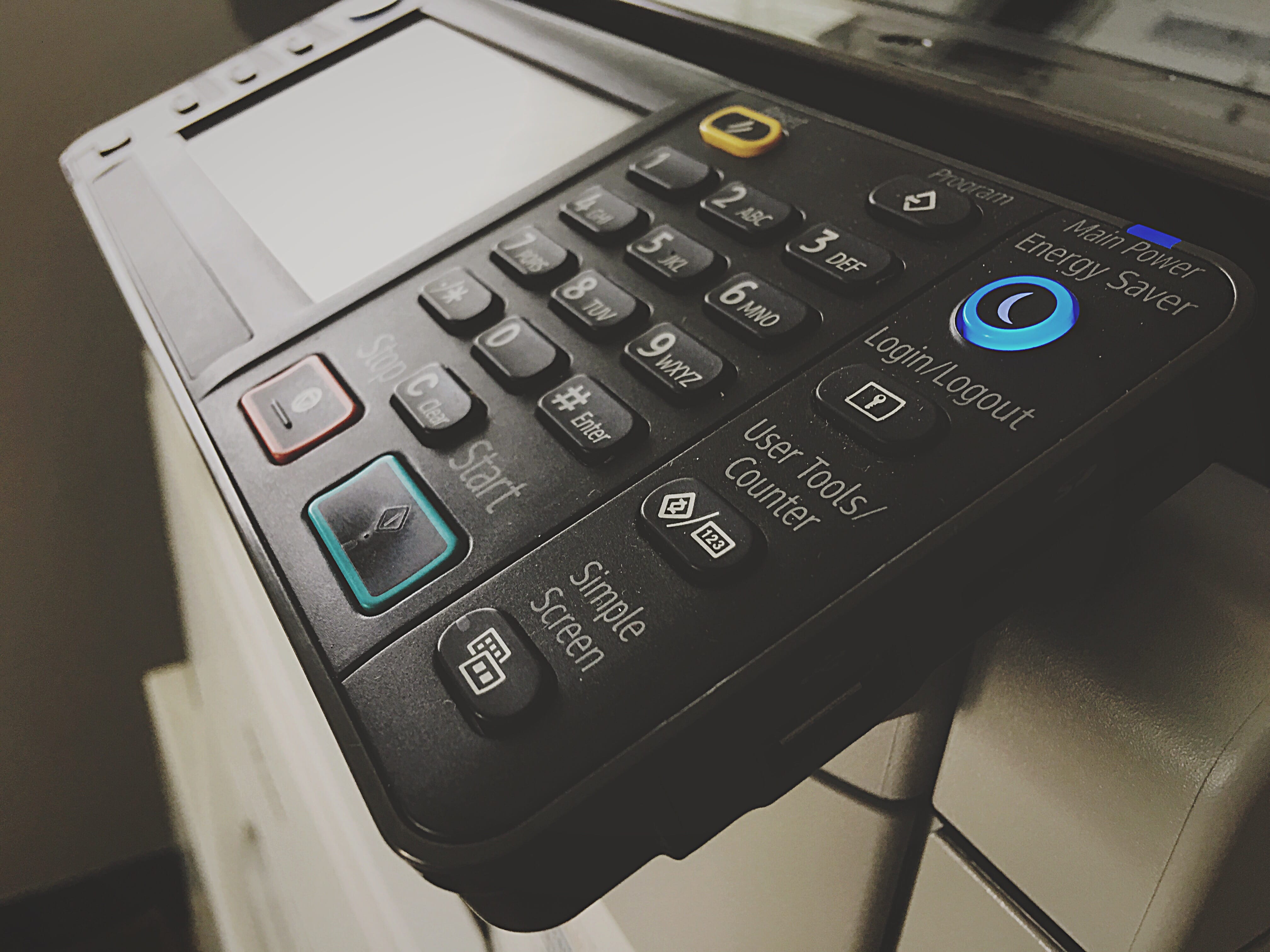
Shopping for a new copier or printer feels simple until you start comparing real-world needs like speed, reliability, security, and the way your team actually works day to day. One device might look perfect on paper, yet still create bottlenecks because it jams during high-volume weeks or struggles with mixed paper sizes. Another might print beautifully, yet become expensive fast once you factor in toner yields, service calls, and the time someone spends troubleshooting. The goal is not to buy the fanciest box in the showroom, it is to choose a machine that keeps work moving without adding friction.
1. Print Quality and Resolution: Make Every Page Look Intentional.
Print quality is more than a “nice to have,” because every document you send out represents your business, even when it is a simple invoice or a one-page proposal. Crisp text, smooth grayscale, and consistent color output reduce the chance that charts look muddy or fine print becomes hard to read. Resolution matters, yet consistency matters more, since a machine that looks great on page one but fades on page ten creates reprints and wasted time. Pay attention to how the device handles small fonts, dense graphics, and solid color blocks, since those reveal quality differences quickly.
Consider what you actually print most often, because the right standard for a medical office might be different from the right standard for a construction company or a school. If you produce client-facing brochures, presentations, or marketing pieces, color accuracy and calibration tools become a bigger deal. If you mostly print contracts, forms, and internal packets, you may care more about sharp black text and clean lines than photo-realistic color. Either way, a quick sample print on the papers you use most can tell you more than a spec sheet ever will.
2. Print Speed and First-Page Output: Does It Keep Up When Work Gets Busy?
Speed is not just a number in pages per minute, because what frustrates teams is waiting for the device to wake up, process the job, and actually deliver the first page. A printer that is fast once it gets going can still feel slow if the first-page-out time drags, especially when several people print short jobs throughout the day. If your office prints large packets, meeting handouts, or end-of-month reports, sustained speed under load becomes a real productivity factor. Look for performance that stays steady, since some machines slow down noticeably with graphics-heavy files or duplex printing.
The right speed depends on volume and expectations, which is why it helps to think about your busiest hour, not your average day. If your front office prints constantly while other departments print in bursts, a single shared device may need more horsepower than you expect. If you run frequent deadlines, a machine that clears queues quickly can keep people from hovering near the copier and re-sending jobs. Speed is also tied to memory and processing power, so it is worth checking whether the device is built to handle modern file sizes without stalling.
3. Monthly Duty Cycle and Real-World Volume: Will It Thrive or Wear Out Early?
Every machine has a recommended monthly volume, and ignoring that guidance is one of the fastest ways to end up with downtime and repair headaches. When a printer is pushed beyond what it is built for, parts wear faster, jams increase, print quality can drift, and service needs rise. A higher duty cycle usually means sturdier components and a design meant for frequent use, which translates into fewer surprises over the life of the device. Matching your actual print volume to the right class of machine protects both uptime and budget.
It helps to estimate volume honestly, including seasonal spikes like audit prep, school enrollment packets, tax season, or year-end reporting. Many offices undercount because they forget about reprints, internal drafts, and multi-page scans that still run paper through the machine. A device that is comfortably sized for your workload often costs less over time than a cheaper unit that is constantly strained. Planning with headroom also gives you flexibility if your team grows or if you centralize printing from multiple departments.
4. Paper Handling and Finishing: Can It Deal With the Paper You Actually Use?
Paper handling is where “good enough” devices start to show their limits, especially when you mix letter and legal, use envelopes, print labels, or run thicker paper stock. Multiple trays, adjustable drawers, and reliable feeding mechanisms reduce the constant tray swapping that steals time and invites misfeeds. Duplex printing should feel effortless and consistent, since two-sided output is one of the simplest ways to cut paper usage without changing how your team works. If your office prints packets, training materials, or proposals, finishing features can turn a messy stack into a polished deliverable.
Finishing options like stapling, hole punching, folding, and booklet creation can be a quiet superpower when you regularly assemble documents for clients, compliance, or internal distribution. These features save time because they remove manual steps that often get pushed onto a busy admin or office manager. It is also worth checking output capacity and how the machine handles long runs, since overflow trays and mis-stacked pages create rework. A copier that treats specialty media as a normal part of life will keep your workflow steady, even when jobs get more complicated.
5. Scanning Quality and Smart Routing: Where Do Documents Go After They Are Scanned?
Modern offices scan as much as they print, which makes scanning features just as important as print features. Look for fast duplex scanning, clear image capture, and reliable text recognition, because searchable PDFs save time when you need to find details later. If your team scans to email, network folders, or cloud platforms, the device should make those options simple and consistent. A great scan experience reduces the temptation for people to use their phones for “quick scans,” which often leads to poor document quality and scattered files.
Smart routing is the difference between scanning as a task and scanning as a system. Features like one-touch workflows, preset destinations, file naming rules, and automated folder routing keep documents organized without forcing employees to remember complicated steps. If you handle sensitive paperwork, scanning controls and permissions matter, since not every user should have access to every destination. A copier that supports clean scanning habits makes your office feel more organized, even if your workload is constantly changing.
6. Connectivity and Mobile Printing: Does It Fit the Way Your Team Works Now?
Connectivity has expanded beyond a simple USB cable or a basic network connection, because teams print from laptops, phones, tablets, and multiple locations. A device that supports wired and wireless networking, plus common mobile printing standards, helps prevent the “it won’t connect” spiral that wastes time and creates support tickets. If you have guests, vendors, or field staff who occasionally need to print, flexible connection options can make your office feel more welcoming and less restrictive. Reliable connectivity also matters for scan routing, firmware updates, and print management tools that depend on stable network communication.
Mobile printing should be convenient without turning into a security risk, which is why features like secure release and user authentication pair well with wireless access. A good system lets employees send a job from their device and release it at the copier when they arrive, rather than leaving sensitive pages sitting on the tray. If your team uses multiple operating systems, confirm that support is smooth across them, since compatibility gaps create silent friction. The best connectivity setup is one that feels invisible, because printing and scanning should not require a mini-IT project every time.
7. Security Features and User Authentication: What Protects Your Documents and Data?
Security is no longer optional, because copiers and printers are networked devices that handle sensitive information every day. User authentication, secure print release, encrypted storage, and controlled access to scan destinations reduce the chance that private documents end up in the wrong hands. Features like automatic job deletion, audit logs, and role-based permissions can also support compliance expectations in industries that handle financial, medical, legal, or student records. A secure device helps your office protect data without forcing employees to invent workarounds.
It is worth thinking about the entire document lifecycle, from the moment a job is sent to the moment the device stores, transmits, or discards data. If the copier has a hard drive or internal storage, you want safeguards that protect what is stored and clear it appropriately. Firmware updates and vendor security support matter too, since security is not a one-time configuration, it is an ongoing responsibility. A printer that supports strong security practices lets your team move fast while still treating sensitive information with the seriousness it deserves.
8. Total Cost of Ownership: What Will It Cost After the First Month?
Sticker price is only the beginning, because the real cost of a copier or printer shows up in toner, drums, parts, maintenance, and downtime. Cost per page, toner yield, and replacement intervals can vary widely, which means two machines with similar purchase prices can have very different long-term budgets. Predictable costs help you plan, while surprise expenses create pressure when the office is already busy. A cost-effective system is one that delivers consistent output without constant consumable replacements.
Ask practical questions about supply management, service response, and what is included in your support plan, because those details often decide whether ownership feels smooth or stressful. If your office prints high volumes, small differences in cost per page add up quickly, especially over years of use. If you print less often, the wrong device can still be expensive if it requires frequent maintenance cycles or wastes toner during calibrations. The smartest choice is usually the one that matches your volume and workflows, then keeps the monthly operating costs steady.
9. Ease of Use and Workflow Design: Will People Actually Use the Features You Pay For?
A copier can have impressive features and still fail your office if the interface is confusing or slow. A clear touchscreen, logical menus, customizable shortcuts, and consistent prompts reduce training time and cut down on user mistakes. When the device is easy to operate, employees are more likely to use secure release, scan presets, and duplex settings instead of bypassing them. Convenience matters because the copier is a shared tool, and shared tools need to work for everyone, not just the power user who reads the manual.
Workflow design also includes small details that add up, like how easily you can load paper, clear a jam, replace toner, or find the status of a print queue. A machine that makes routine tasks simple reduces interruptions and keeps your team focused on real work. If you have multiple departments, the ability to create user-specific shortcuts can make the same device feel tailored to different needs. The best copier experience is the one that feels natural, because nobody wants a daily battle with a screen.
10. Reliability, Service Support, and Scalability: Is This a Long-Term Fit?
Reliability is the feature that quietly matters most, because a copier that is down at the wrong time can derail an entire day. Look for a track record of consistent performance, strong build quality, and components designed for business use, especially if your office depends on printing and scanning as part of core operations. Service support matters just as much as the machine itself, since even great equipment needs maintenance, updates, and the occasional repair. Fast response, clear communication, and dependable parts availability can turn a frustrating problem into a quick inconvenience.
Scalability is about choosing a device that still fits six months from now and two years from now, even if your office grows, your compliance needs change, or your document workflows become more automated.
A system that supports add-on trays, finishing modules, or expanded software tools can adapt without forcing a full replacement. If you want fewer devices over time, choosing a capable multifunction machine today can simplify your footprint later.
GCOP Has Your Printer and Copier Needs Covered
If you want a setup that feels effortless from day one through the life of the equipment, Gulf Coast Office Products can help you narrow the options and select a copier or printer that matches your workload, protects your data, and supports the way your team gets work done.
Recent Blog Posts

GCOP
2026 Gulf Coast Office Products. All rights reserved | Privacy Policy | Legnd Web Design