
Office Printing ROI: How to Measure and Maximize Your Investment
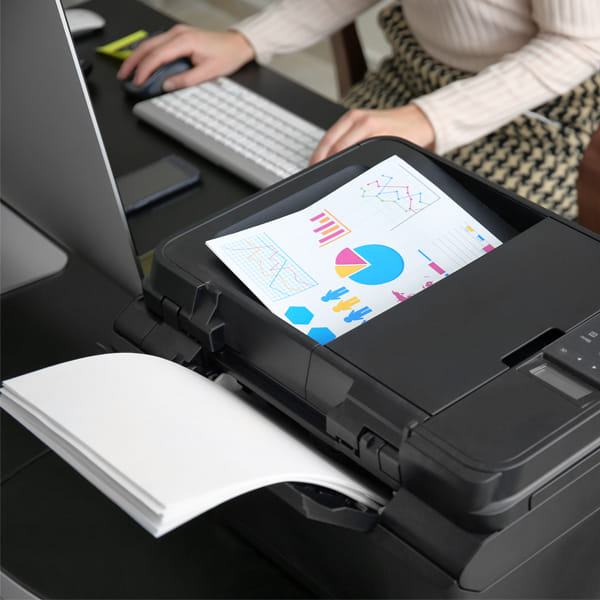
Office printing may not always get the same attention as payroll, software, rent, or equipment purchases, yet it quietly affects nearly every part of a business. From invoices and contracts to training packets, marketing materials, reports, labels, forms, and customer-facing documents, printing still plays a major role in how many companies operate each day. When those costs are unmanaged, they can spread across departments in ways that are hard to see, which makes it easy to underestimate how much money, time, and productivity are tied to your print environment.
Measuring office printing ROI helps you look beyond the price of a copier, printer, or multifunction device and understand what your business is actually getting in return. A strong print investment should reduce waste, support employee productivity, improve document quality, protect sensitive information, and make everyday workflows easier to manage. Once you know what to measure, you can make smarter decisions about equipment, supplies, service plans, and long-term print strategy.
What Does Office Printing ROI Really Mean?
Office printing ROI, or return on investment, measures the value your business receives from its printing setup compared to what it spends to own, lease, operate, and maintain it. While the basic idea sounds simple, the real picture includes more than toner, paper, and monthly equipment payments. A printer that seems inexpensive upfront can become costly if it breaks often, wastes supplies, slows employees down, or requires constant attention from your team.
A useful ROI calculation looks at both hard costs and soft costs. Hard costs include equipment payments, service fees, supplies, parts, paper, and energy use, while soft costs include employee downtime, IT involvement, workflow delays, security risks, and lost productivity. When you combine those numbers, you get a much clearer view of whether your office printing system is helping your business or quietly draining resources.
Why Printing Costs Are Often Hard to Track
Many businesses do not have one central print budget, which means printing expenses may be scattered across different departments, vendors, credit cards, and supply orders. One team may buy toner when they run out, another may order paper in bulk, and someone else may call for repairs only when the machine stops working. Because those expenses appear in different places, leadership may not realize how much the company is spending each month.
Hidden costs also show up when employees use the wrong device for the job. A small desktop printer may be convenient, but it can have a much higher cost per page than a properly sized office copier. Likewise, color printing, single-sided printing, and avoidable reprints can increase costs quickly when there are no clear print policies or usage controls in place
Start with Your Total Cost of Ownership
Total cost of ownership gives you the foundation for measuring printing ROI because it shows what your print environment truly costs over time. This number should include the purchase price or lease payment for each device, supply expenses, maintenance, service calls, replacement parts, software, energy use, and the internal time spent managing print-related issues. Looking only at the sticker price of a machine will almost always give you an incomplete answer.
A business may find that a more capable multifunction copier has a higher monthly payment but a lower total cost because it prints more efficiently, needs fewer repairs, and handles larger workloads without slowing employees down. On the other hand, a low-cost device may turn into a poor investment if it uses expensive supplies, jams frequently, or cannot keep up with daily demand. Total cost of ownership helps separate the machines that look affordable from the machines that actually perform affordably.
Know Your Cost per Page
Cost per page is one of the most practical numbers you can track because it tells you how much each printed page costs your business. This figure usually includes toner or ink, maintenance, parts, and sometimes service, depending on how your print agreement is structured. Once you know the cost per black-and-white page and the cost per color page, you can see where money is going and where savings may be possible.
Color printing deserves special attention because it usually costs more than black-and-white printing. That does not mean businesses should avoid color altogether, since polished proposals, presentations, brochures, and customer materials can benefit from professional-looking color output. The key is to use color intentionally, set reasonable permissions, and reserve higher-cost printing for documents where it actually adds value.
Track Print Volume by Department
Print volume shows how heavily your devices are being used, but department-level tracking gives that information more meaning. A legal, medical, accounting, education, or sales team may have very different print needs, and treating every department the same can lead to poor decisions. When you know which teams print the most, what they print, and when demand peaks, you can place the right equipment in the right areas.
Department tracking also helps prevent unfair assumptions. A department with high print volume may not be wasteful if it handles contracts, compliance documents, packets, or customer paperwork that must be printed. At the same time, a department with unnecessary color usage, excessive reprints, or avoidable personal printing may need better rules, training, or device settings.
Productivity Is Part of the ROI Equation
Printing ROI is not only about lowering expenses. It is also about helping employees work faster, with fewer interruptions, fewer bottlenecks, and less frustration. When a copier jams every morning, employees wait in line for one overworked machine, or staff members waste time troubleshooting printer errors, your business pays for that lost time even if it never appears as a line item on a supply invoice.
A strong office print setup should support the pace of your workplace. That may mean faster output speeds, better paper handling, secure scan-to-email functions, automatic duplexing, cloud-connected workflows, or reliable service support when something goes wrong. The more your print environment supports daily work instead of interrupting it, the stronger your return becomes.
How Much Time Does Your Team Lose to Printing Problems?
Time loss can be hard to measure, but even a rough estimate can reveal a lot. If five employees each spend 15 minutes a week dealing with printer issues, waiting on jobs, reprinting documents, or searching for supplies, that adds up to more than an hour of lost productivity every week. Across a full year, that time can become far more expensive than a service plan, equipment upgrade, or managed print solution.
This is where businesses often miss the bigger picture. A machine that technically “still works” may still be costing money if it slows the office down, creates stress, or pulls employees away from higher-value work. Reliable equipment, proactive maintenance, and a better print strategy can turn wasted time back into usable work hours.
Managed Print Services Can Improve Visibility
Managed print services give businesses a more organized way to monitor, control, and improve office printing. Instead of reacting to problems after they happen, a managed print approach can track device usage, automate supply replenishment, monitor service needs, and identify inefficient print habits. For many businesses, this visibility alone makes a major difference because it replaces guesswork with usable data.
With the right managed print partner, your business can also consolidate vendors, simplify billing, reduce supply emergencies, and create a more predictable monthly print budget. Gulf Coast Office Products can help businesses evaluate their current print environment, uncover waste, and build a plan that matches their real usage instead of relying on assumptions.
Equipment Placement Can Change Your ROI
Even the best copier or printer can perform poorly if it is placed in the wrong part of the office. When high-volume teams rely on a distant machine, employees lose time walking back and forth, waiting on jobs, or interrupting their workflow. When low-volume users have too many personal printers, the business may spend more on supplies, maintenance, and device management than necessary.
Smart equipment placement balances convenience with efficiency. A central multifunction device may serve a busy department well, while smaller workgroup printers can support specific teams with unique needs. The goal is not to reduce devices blindly, but to create a print environment where every machine has a clear purpose and supports the people who use it.
Do You Need to Upgrade Your Office Printing Equipment?
An equipment upgrade may make sense when your current devices are unreliable, expensive to maintain, too slow for your print volume, or missing features your team now needs. Older machines can become costly because parts are harder to source, service calls become more frequent, and newer workflow tools are not available. Even if the device is paid off, it may not be producing the return your business needs.
At the same time, upgrading should be based on real usage rather than sales pressure. Your business should consider monthly volume, color needs, scanning habits, finishing features, security requirements, and long-term growth before choosing a new device. A properly matched copier or multifunction printer can improve ROI because it fits the workload instead of forcing your team to work around equipment limitations.

Print Security Protects More Than Paper
Print security is easy to overlook until sensitive information lands in the wrong tray, gets left on a machine, or passes through an unsecured device. Businesses that handle financial records, employee files, customer information, legal documents, medical paperwork, or confidential proposals need to think about how print workflows protect information. Security features may not always feel like traditional ROI, but preventing a costly mistake is a real form of value.
Modern office devices can include secure print release, user authentication, access controls, encrypted storage, and audit trails. These tools help ensure that sensitive documents only reach the right people, while also giving businesses better oversight of print activity. When security is built into the print environment, your investment supports both productivity and risk reduction.
Use Print Policies Without Making Work Harder
A good print policy should guide employees without making simple tasks feel complicated. Basic rules, such as defaulting to black-and-white, using two-sided printing, limiting unnecessary color output, and routing large jobs to the most efficient device, can reduce waste without slowing people down. The best policies are clear, practical, and supported by device settings that make the right choice the easy choice.
Training also matters because employees may not know how much different print behaviors cost. When staff members understand why certain devices are better for certain jobs, or why color printing should be used selectively, they are more likely to cooperate. A print policy works best when it feels like a helpful standard rather than a punishment.
Paper, Supplies, and Waste Still Matter
Paper waste is one of the simplest places to improve printing ROI because unnecessary pages add up fast. Misprints, duplicate jobs, abandoned printouts, wrong settings, and outdated forms can all increase costs while creating clutter. Even small adjustments, such as print previews, duplex defaults, and better document approval processes, can reduce waste over time.
Supply management is another important part of the equation. Ordering toner at the last minute can lead to downtime, rush expenses, or mismatched supplies, while overordering can tie up money in inventory that sits on a shelf. A better supply process helps your business avoid emergencies while keeping costs under control.
Scanning and Digital Workflows Can Raise Print ROI
Maximizing print ROI does not always mean printing less for the sake of printing less. It means printing the right documents while using digital workflows where they make sense. Scanning, document routing, searchable files, and digital storage can reduce repetitive paper handling, improve access to information, and help teams move faster.
A multifunction device that supports strong scanning features can become more than a printer or copier. It can serve as a bridge between paper-based processes and digital operations, which is especially useful for businesses that still receive signed forms, vendor paperwork, customer documents, or physical records. When print and digital workflows work together, your equipment delivers more value from the same investment.
How to Measure Improvement Over Time
Once you have a baseline, you can measure whether your print strategy is improving. Track monthly print volume, cost per page, supply usage, service calls, downtime, color usage, and employee complaints. These numbers do not need to be perfect, but they should be consistent enough to show whether your print environment is becoming more efficient.
It is also helpful to review printing ROI at least once or twice a year. Business needs change, departments grow, workloads shift, and equipment that once fit well may no longer be ideal. Regular reviews keep your print strategy aligned with your current operations instead of letting outdated habits control future costs.
Gulf Coast Office Products Helps Businesses Get More from Printing
Gulf Coast Office Products helps businesses look at office printing as a real investment, not just a necessary expense. By reviewing your current equipment, print volume, service needs, supply habits, and workflow challenges, their team can help identify where money is being wasted and where better solutions could improve performance. That kind of guidance is especially valuable when you are trying to decide whether to upgrade, lease, consolidate devices, or explore managed print services.
The right office printing plan should fit the way your business actually works. Whether your team needs reliable everyday printing, higher-quality customer materials, better scanning workflows, stronger security, or more predictable monthly costs, Gulf Coast Office Products can help you build a print environment that supports your goals instead of working against them.
Make Your Printing Investment Work Harder
Office printing ROI becomes much easier to improve once you stop treating printing as a background expense and start measuring it like any other business investment. Cost per page, total cost of ownership, employee productivity, equipment reliability, supply management, security, and workflow efficiency all play a role in the return your business receives.
A better print strategy does not always require the biggest machine or the cheapest monthly payment. It requires the right equipment, the right service plan, the right controls, and the right partner to help you see what is really happening inside your print environment. If your business wants to reduce waste, improve productivity, and get more value from every printed page, Gulf Coast Office Products is ready to help you measure your current ROI and maximize your office printing investment.
Recent Blog Posts

GCOP
2026 Gulf Coast Office Products. All rights reserved | Privacy Policy | Legnd Web Design